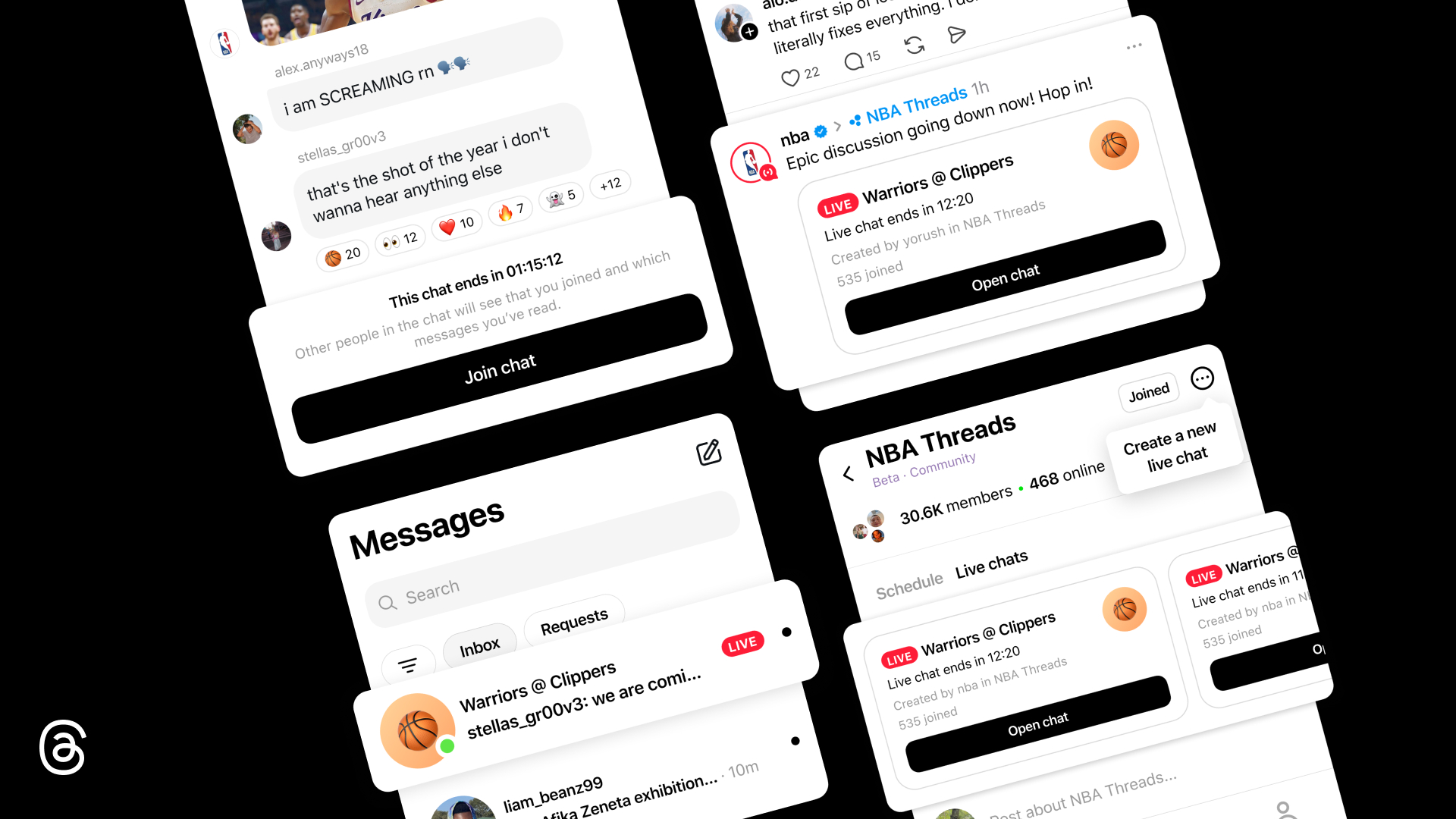
We’re introducing Live Chats on Threads, which lets you participate in public group chats during the biggest cultural events. It’s a new way to build community with others around shared interests like an album drop or a big game as it unfolds. Live Chats are an extension of what’s already happening on Threads — and a new way for creators and fans to connect over what matters to them in real time.
Live Chats are more dynamic than traditional group chats because they’re designed for real-time conversations around cultural moments as they’re happening. A profile ring signals when someone is live, and features like real-time polls, countdowns, and typing indicators keep the conversation lively. Live scores keep chats in sync with games, so the discussion never falls behind the action.
Live Chats will be launching in the NBAThreads Community during the Playoffs, with community champions and media personalities hosting Live Chats during live games: Malika Andrews, Rachel Nichols, Trysta Krick, David Rushing, and Lexis Mickens.
Discover and Join Public Group Chats
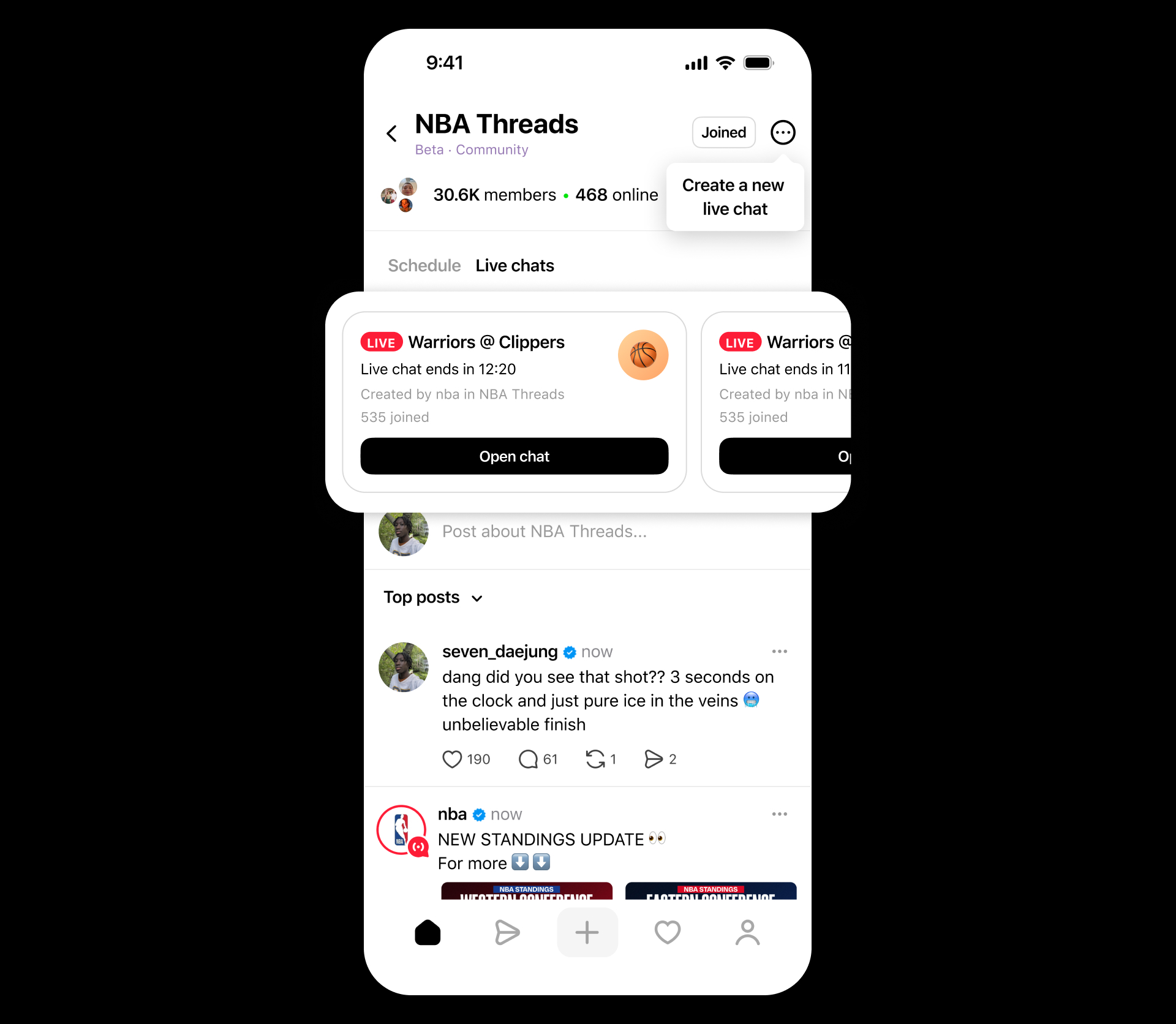
You can find and join a Live Chat at the top of the NBAThreads Community feed or one that’s linked in a shared post on your main Threads feed. Live Chats in other Community feeds will be rolling out in the coming months. You can also spot a Live Chat by the red live ring around a host’s profile photo.
Once you join a chat, you can send messages — including photos, videos, and links — back and forth, and tap on reaction emojis to show how you feel. If the chat is full, you can still watch the conversation, react to messages, and vote in polls. Live Chats are open and publicly discoverable even after they’ve ended.
Tips to Get Started
To start, Live Chats can be hosted by a select group of creators, including Community Champions who are actively engaged in a Threads community, spark conversations, and join others. Eligible hosts can schedule a Live Chat to start by tapping the three-dot menu icon in the top right corner of their Community, and selecting Schedule a Live Chat. From there you can name your chat, choose a start and end time, and invite people to join. You can also share your Live Chat to your Threads feed and Instagram Story to spread the word.
What’s Next
We’re continuing to build on the Live Chats experience with new features coming soon, including co-hosting, play-by-play content with real-time updates, lock screen widgets to surface real-time Live Chats activity, and the ability to quote and share chat messages on your Threads feed.
We’re excited to bring people closer to the moments that matter. We’re starting with the NBAThreads Community as we build and refine Live Chats — rolling out gradually to more communities on Threads so we can learn from early feedback and refine the experience.


